How to view the disk usage in your Cpanel
The CPanel Disk Space Usage tool enables you to see how much disk space your account is using. You can view that information in bar graph format and you can also sort the file directories by name and space used.
To view information about your account's disk usage, follow these steps:
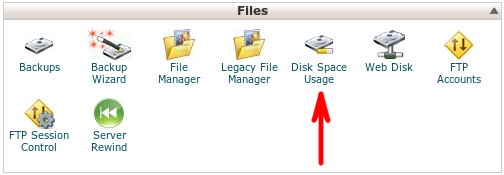
1. In the FILES section of your CPanel Home screen, click Disk Space Usage: